

Customer support chatbots: What they are + 10 best tools for 2026

Sneha Arunachalam .
Nov 2025 .
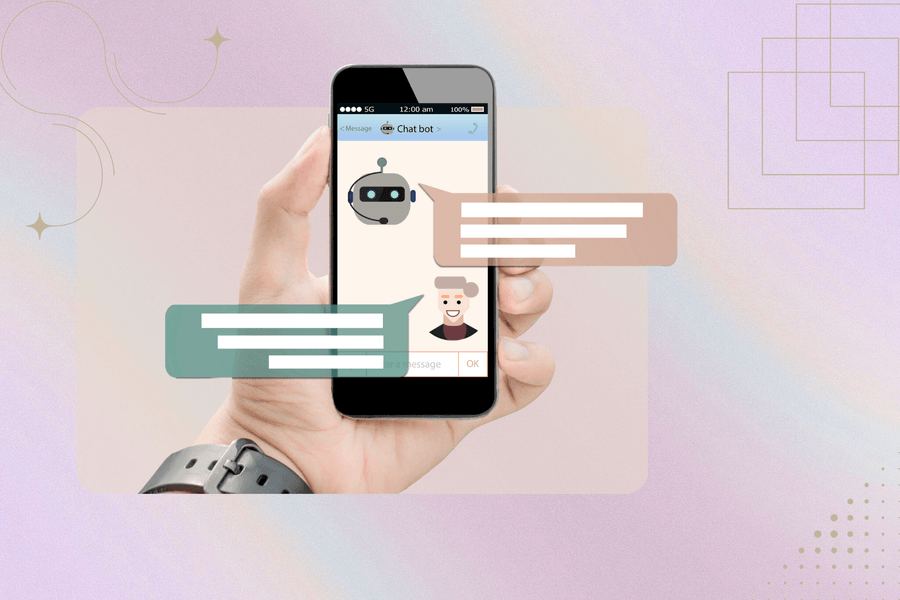
“Hi! How can I help you today?”
It’s a line we’ve all seen pop up in the corner of a website often before we’ve even clicked anything.
But here’s the twist: it’s not a person saying it. It’s a customer service chatbot and it’s quietly transforming how companies handle support.
Whether you're ordering food, tracking a package, or troubleshooting your Wi-Fi, chances are you've chatted with a bot. And if it worked well, you probably didn’t even realize it.
But with AI evolving faster than ever, the big question isn’t whether chatbots can handle customer service it’s whether they should.
Are they the future of fast, scalable support? Or just another short-lived tech trend businesses are rushing to adopt?
Let’s dig in.
What is a customer service chatbot?
Most people still think of chatbots as those annoying pop-ups that can't help with anything real. But customer service chatbots have come a long way. They're automated programs that actually hold conversations with your customers, using AI and natural language processing to understand what people are asking — whether through text or voice.
Definition and core purpose
Think of it like this: a customer service chatbot is your digital front desk person who never takes a break. These AI-powered helpers answer questions, walk people through purchases, and even suggest products based on what customers actually want.
The whole point? Give customers instant help without making them wait for a human agent. These bots work across your website, messaging apps, and social media — so customers get consistent support no matter where they reach out.
Types of customer service chatbots

Let's be honest — not all chatbots are created equal. Picking the wrong type can leave your customers frustrated and your team scrambling to fix conversations that went sideways.
Rule-based bots
Rule-based chatbots work like those old "choose your own adventure" books. They follow predetermined "if-then" paths, responding based on specific keywords and patterns they've been taught to recognize.
These bots shine when handling straightforward, predictable stuff. They'll answer your most common questions, walk users through simple processes, and collect basic info without breaking a sweat. Since they stick to their programmed rules, you get consistent responses every single time.
You'll see rule-based bots in a few different flavors:
- Button-based bots that give customers clickable options
- Keyword recognition bots that pick up on specific terms
- Decision-tree bots that narrow things down based on user choices
Here's why smaller businesses love them — they're quick to set up, cost way less upfront, and play nice with your existing systems. Perfect if you've got clear support goals or just want a solid FAQ resource.
But here's the catch: these bots can't think outside their programming. Ask a question in a slightly different way, and they're lost. As one source puts it, "They cannot answer any questions outside the defined rules" and "do not learn through interactions".
AI-powered bots
AI-powered chatbots are the smart cookies of the bunch. Instead of just hunting for keywords, they actually understand what customers mean — even when they phrase things weirdly.
The real magic happens over time. Each conversation teaches them something new, so they keep getting better at understanding patterns and context. These bots can:
- Handle natural, conversational language
- Remember what you talked about before
- Pick up on emotions and sentiment
- Learn from every interaction to improve next time
This makes AI bots perfect for handling those curveball questions that would stump a rule-based system. They'll ask follow-up questions when they need clarity and give personalized answers based on customer history.
The trade-off? You're looking at more time and money to get them running properly. They need tons of training data to work well, so they're better suited for companies with bigger support volumes and more varied customer needs.
Hybrid models
Hybrid chatbots give you the best of both worlds — the reliability of rule-based systems plus the smarts of AI. They handle simple stuff through predetermined rules but switch to AI mode when conversations get complex.
"Hybrid chatbots combine the strengths of both rule-based and AI-driven systems," notes one industry source. This dual approach creates a smoother customer experience without sacrificing consistency.
Here's what makes hybrid models so appealing:
- Rock-solid handling of everyday questions
- AI kicks in for the tricky stuff
- Smooth handoffs to human agents when needed
- Personalized responses based on user history
- Gets smarter through machine learning
These bots remember your conversations and use that context to make future chats more helpful. Pair that with automation features, and customers can actually get things done — like placing orders or checking shipping status — without needing human help.
For growing businesses, hybrid models hit that sweet spot between immediate results and long-term potential. Sure, they take more work to set up than basic rule-based systems, but they scale better and handle more sophisticated customer interactions as your business grows.
Common use cases in support
Customer service chatbots really shine in these areas:
Answering FAQs and common questions: Bots pull answers from your knowledge base instantly, taking pressure off your human team.
Order confirmation and shipping tracking: Nobody wants to dig through complicated menus to check their order status. Bots make this simple with instant updates.
Collecting customer feedback: Instead of boring surveys, bots can gather opinions through natural conversations.
Password resets and account assistance: Perfect for those "I forgot my password" moments that happen at 2 AM.
Multilingual support: Modern bots speak over 100 languages, so customers can get help in whatever language feels comfortable.
Bottom line — chatbots handle the repetitive stuff so your human agents can focus on the complex problems that actually need a personal touch.
If you’re looking for a platform that can actually do all of this without feeling clunky or overpriced, SparrowDesk is built exactly for that.
Its AI chatbot handles FAQs, order updates, feedback collection, multilingual support, and even account-related queries—while your agents focus on the conversations that truly matter. Simple setup, lightweight, and designed for modern support without enterprise complexity.
Try SparrowDesk’s AI chatbot for free, built to handle all your repetitive support tasks effortlessly.
 TRY SPARROWDESK FREE FOR 14 DAYS
The Helpdesk your team truly deserves.
Now, let’s dive into the top 10 customer service chatbot tools that are truly worth using in 2026.
1. SparrowDesk

SparrowDesk is built as an AI-first customer support platform where the chatbot is not an add-on, but a core resolution layer.
TRY SPARROWDESK FREE FOR 14 DAYSThe Helpdesk your team truly deserves.
Overview
SparrowDesk approaches customer service chatbots differently from legacy tools. Instead of focusing only on deflection, its AI agents are designed to resolve conversations end-to-end. The chatbot understands intent, pulls answers from multiple knowledge sources, adapts responses to your brand voice, and completes workflows without forcing customers into rigid paths.
A key differentiator is how SparrowDesk blends automation with human support. When the AI reaches its limits, the handoff to a human agent is seamless, with full conversation context preserved. This avoids the “start over” experience that frustrates customers.
Key Features
- AI chatbot that auto-resolves routine support queries
- Knowledge ingestion from help docs, FAQs, and internal content
- Brand-tone alignment for consistent responses
- Smooth AI-to-human handoff with full context
- Live bidirectional translation for multilingual support
- Built-in workflows for routing, tagging, and actions
- Unified inbox for chat and email conversations
Pricing & plans
Feature / Plan | Starter | Professional | Enterprise |
|---|---|---|---|
Price (per seat / month) | $16 | $49 | $89 |
Email & Live Chat | Included | Included | Included |
Shared Inbox | Included | Included | Included |
Contact Segmentation | Included | Included | Included |
Advanced Email Configuration | — | Included | Included |
Service Level Agreements (SLA) | — | Included | Included |
Help Center | — | — | Included |
Lite Seats | 5 | 20 | 50 |
Pros
- Designed specifically for customer support (not sales-led)
- Strong real-world automation, not just deflection
- Predictable and transparent pricing
- Excellent for global, multilingual teams
TRY SPARROWDESK FREE FOR 14 DAYSThe Helpdesk your team truly deserves.
Cons
- Smaller ecosystem compared to legacy platforms
Best For
Teams that want AI-driven resolution, not just chatbot deflection, with full control over cost and experience.
2. Intercom

Intercom’s chatbot feels like the Apple product of customer service tools—everything is polished, intuitive, and just works the way you’d expect it to.
The UI is clean enough that both your team and your customers will actually enjoy using it, which is rarer than it should be in the chatbot world.
What makes Intercom special is how well their bot holds up in real conversations. It doesn’t just spit out canned responses; it actually engages with customers in a way that feels natural and helpful.
The bot handles FAQs without making customers feel like they’re talking to a machine, routes complex issues to the right human agents, and works seamlessly across your website, product interface, and email communications.
The conversation flow feels organic because Intercom has invested heavily in understanding how people actually communicate. Their bot recognizes when someone is frustrated, when they need more detailed help, and when a simple answer will suffice.
Key features:
- Advanced conversation AI that maintains context throughout interactions
- Cross-platform functionality that works on web, mobile, and email
- Smart routing system that connects customers with the right specialists
- Rich media support for sharing images, videos, and documents
- Comprehensive analytics dashboard for tracking performance metrics
Pricing:
Intercom’s pricing starts at $39 per month for basic features, but costs can escalate quickly as you add more advanced functionality and increase your user base. Enterprise plans can reach several hundred dollars monthly.
Pros:
- Exceptionally polished user interface and experience
- Strong conversation AI that feels natural and engaging
- Excellent integration ecosystem with popular business tools
- Robust analytics and reporting capabilities
Cons:
- Pricing can become expensive rapidly as you scale
- Some advanced features require higher-tier plans
- Learning curve for maximizing all available features
Best For:
Intercom excels for SaaS companies, tech startups, and businesses that prioritize user experience and are willing to invest in premium functionality for superior customer interactions.
3. Zendesk AI

Zendesk has been the backbone of customer support for countless businesses, and now they’ve successfully integrated AI capabilities that feel like a natural evolution rather than a clunky add-on.
Their chatbot solution is solid, dependable, and packed with features that actually make support teams more efficient.
The AI component auto-suggests relevant help articles based on customer queries, which means customers often find answers without needing to wait for an agent.
It also tags tickets intelligently and triages issues before routing them to the appropriate team members, creating a more organized and efficient support workflow.
What’s particularly impressive is how Zendesk AI learns from your existing ticket history and knowledge base. It doesn’t start from scratch—it builds on years of support data to provide increasingly accurate and helpful responses.
Key Features:
- Intelligent article suggestions based on query analysis
- Automated ticket tagging and categorization
- Smart triage system that prioritizes urgent issues
- Seamless integration with existing Zendesk workflows
- Machine learning that improves over time using historical data
Pricing:
Zendesk AI is available as an add-on to existing Zendesk plans, starting at approximately $50 per agent per month. The pricing integrates with your current Zendesk subscription structure.
Pros:
- Builds on proven Zendesk infrastructure and reliability
- Excellent integration with existing Zendesk tools and workflows
- Strong learning capabilities that improve performance over time
- Comprehensive reporting and analytics features
Cons:
- Requires existing Zendesk subscription for full functionality
- Can feel less innovative compared to newer, AI-first solutions
- Setup complexity increases with advanced customization needs
Best For:
Zendesk AI is perfect for businesses already using Zendesk who want to add intelligent automation without disrupting their existing support processes and team workflows.
4. Tidio

Tidio understands that not every business needs a chatbot that can solve quantum physics problems. Sometimes you just need something that handles FAQs reliably, tracks order status accurately, and integrates easily with your ecommerce platform.
That’s exactly what Tidio delivers, and it does so with refreshing simplicity.
The platform is genuinely plug-and-play, which means you can have a functional chatbot running on your website within minutes rather than weeks.
The visual flow builder makes it easy to create conversation paths without needing to write code or understand complex logic structures.
Tidio’s strength lies in its ecommerce integrations, particularly with Shopify and WordPress.
It understands the specific needs of online retailers and provides features that directly address common customer service challenges in ecommerce environments.
Key Features:
- Visual conversation flow builder that requires no coding knowledge
- Native integrations with Shopify, WordPress, and other ecommerce platforms
- Order tracking and status updates directly within chat conversations
- Lead generation tools that capture potential customers
- Mobile-responsive chat widget that works across all devices
Pricing:
Tidio offers a free plan with basic features, with paid plans starting at $18 per month. The pricing is particularly attractive for small businesses and growing ecommerce stores.
Pros:
- Extremely easy setup and configuration process
- Excellent value for money, especially for small businesses
- Strong ecommerce-specific features and integrations
- Responsive customer support and helpful documentation
Cons:
- Limited advanced AI capabilities compared to enterprise solutions
- Fewer customization options for complex business requirements
- Analytics and reporting features are more basic
Best For:
Tidio is ideal for small to medium-sized ecommerce businesses, WordPress sites, and teams that need effective customer service automation without complexity or high costs.
5. Freshchat
Freshchat doesn’t make a lot of noise in the marketing world, but it quietly delivers exactly what businesses need: reliable, multi-channel customer service automation that actually works.
Their customer service chatbot operates seamlessly across Instagram, WhatsApp, your website, and other communication channels, creating a unified experience for customers regardless of how they choose to reach out.
The no-code flow builder means your team can create and modify conversation paths without involving developers, which speeds up implementation and makes ongoing optimization much more manageable.
The integration with Freshdesk creates a particularly powerful combination for businesses already using Freshworks products.
What makes Freshchat special is its focus on practical functionality over flashy features. It does the essential things exceptionally well rather than trying to be everything to everyone.
Key Features:
- Multi-channel support including WhatsApp, Instagram, and web chat
- No-code conversation flow builder for easy customization
- Seamless integration with Freshdesk and other Freshworks products
- Automated routing based on customer intent and agent availability
- Comprehensive conversation history and context maintenance
Pricing:
Freshchat pricing starts at $15 per agent per month, with higher tiers offering additional features and integrations. The pricing is competitive and scales reasonably with business growth.
Pros:
- Excellent multi-channel capabilities that work consistently
- Strong integration ecosystem, particularly with Freshworks products
- User-friendly interface that teams can learn quickly
- Reliable performance with minimal downtime
Cons:
- Less brand recognition compared to larger competitors
- Advanced AI features are not as sophisticated as specialized solutions
- Limited customization options for unique business requirements
Best For:
Freshchat works well for businesses that need reliable multi-channel support, particularly those already using Freshworks products or looking for straightforward, effective customer service automation.
6. Ada
Ada makes a bold promise: zero-agent resolution for customer service inquiries. The remarkable thing is that they actually deliver on this promise for many businesses.
Their customer service chatbot is designed to handle entire support flows from start to finish without requiring human intervention, which can dramatically reduce support costs while maintaining customer satisfaction.
The platform is enterprise-grade but built with a no-code approach, meaning your team can create sophisticated conversation flows and automation without needing technical expertise.
Ada’s AI is particularly strong at understanding customer intent and providing accurate, helpful responses that resolve issues completely.
For businesses that handle hundreds or thousands of support tickets daily, Ada’s approach can be transformative. Instead of using chatbots as a first line of defense before human agents, Ada positions itself as the complete solution for many types of customer inquiries.
Key Features:
- Advanced AI designed for complete issue resolution without human handoff
- No-code platform that enables complex automation without technical skills
- Enterprise-grade security and compliance features
- Comprehensive analytics that track resolution rates and customer satisfaction
- Multi-language support with natural conversation capabilities
Pricing:
Ada’s pricing is positioned at the premium end of the market, with plans typically starting around $400 per month for smaller implementations and scaling significantly for enterprise deployments.
Pros:
- Exceptionally high resolution rates that can eliminate many support tickets
- Sophisticated AI that handles complex customer inquiries effectively
- Strong enterprise features including security and compliance
- Excellent analytics and optimization tools
Cons:
- Premium pricing that may not suit smaller businesses
- Implementation complexity for advanced features
- May require significant setup time to achieve optimal performance
Best For:
Ada is perfect for large businesses with high support volumes that want to significantly reduce agent workload while maintaining high customer satisfaction levels.
7. Drift

Drift takes a different approach to customer service chatbots by combining support functionality with aggressive lead generation capabilities.
Their customer service chatbot isn’t just reactive—it’s proactive, engaging website visitors, qualifying potential customers, and handling support questions while simultaneously identifying sales opportunities.
The platform excels in B2B environments where the line between customer service and sales is often blurred. Drift’s chatbot can handle support inquiries while also booking demos, qualifying leads, and routing high-value prospects to sales teams.
This dual functionality makes it particularly valuable for businesses where customer service interactions often lead to upselling or expansion opportunities.
The AI is sophisticated enough to understand when someone needs support versus when they might be interested in additional products or services, allowing for natural transitions between service and sales conversations.
Key Features:
- Proactive engagement that initiates conversations with website visitors
- Lead qualification and scoring based on conversation content
- Integrated booking system for demos and sales calls
- Advanced routing that connects prospects with appropriate team members
- CRM integration that maintains complete conversation history
Pricing:
Drift’s pricing starts at around $50 per month for basic features, with advanced plans reaching several hundred dollars monthly depending on the features and volume requirements.
Pros:
- Excellent lead generation capabilities that complement customer service
- Sophisticated AI that understands both support and sales contexts
- Strong integration with sales and marketing tools
- Proactive engagement that can increase conversion rates
Cons:
- More complex than pure customer service solutions
- Pricing can become expensive for advanced features
- May feel overly sales-focused for some customer service scenarios
Best For:
Drift is ideal for B2B companies, SaaS businesses, and organizations where customer service interactions often present sales opportunities and lead generation is a priority.
8. LivePerson
LivePerson is the solution that major banks, telecommunications companies, and other large enterprises choose when they need industrial-strength conversation capabilities.
Their customer service chatbot platform is loaded with advanced natural language processing, sophisticated intent detection, and the ability to handle voice, chat, and messaging across multiple platforms simultaneously.
The platform’s strength lies in its ability to handle massive scale while maintaining conversation quality. LivePerson can manage thousands of simultaneous conversations across different channels while providing consistent, intelligent responses that feel personalized and helpful.
The AI capabilities are particularly impressive, with machine learning that continuously improves based on conversation outcomes and customer feedback.
The platform also provides extensive analytics and reporting that help large organizations understand customer behavior patterns and optimize their support strategies.
Key Features:
- Advanced NLP and intent detection for accurate conversation understanding
- Multi-channel support including voice, chat, and messaging platforms
- Enterprise-grade security and compliance features
- Sophisticated analytics and reporting for large-scale optimization
- AI that learns and improves from every customer interaction
Pricing:
LivePerson pricing is typically customized for enterprise clients and can range from thousands to tens of thousands of dollars monthly depending on volume and feature requirements.
Pros:
- Exceptional scale capabilities for large enterprise environments
- Advanced AI and machine learning features
- Comprehensive security and compliance features
- Extensive customization and integration options
Cons:
- Significant overkill for small to medium-sized businesses
- Complex implementation that requires substantial technical resources
- Premium pricing that reflects enterprise positioning
Best For:
LivePerson is designed for large enterprises, financial institutions, telecommunications companies, and other organizations that need to handle massive conversation volumes with sophisticated AI capabilities.
9. Botpress:
Botpress takes a completely different approach by offering an open-source, highly flexible platform that lets you build exactly the customer service chatbot you envision.
If you have engineering resources and want complete control over your chatbot’s functionality, Botpress provides the tools to create something truly custom.
The platform is built for developers who want to go beyond the limitations of pre-built solutions. You can integrate any AI model, connect to any database, and create conversation flows that match your exact business requirements.
The flexibility is remarkable, but it comes with the expectation that you have technical expertise to leverage it effectively.
Botpress shines when you need features that don’t exist in commercial solutions or when you want to integrate deeply with proprietary systems and databases. The open-source nature means you’re not locked into a vendor’s roadmap or pricing structure.
Key Features:
- Open-source platform with complete customization capabilities
- Integration with any AI model or machine learning framework
- Custom conversation flows with unlimited complexity
- Direct database integration and API connectivity
- Self-hosted deployment options for complete data control
Pricing:
Botpress offers a free open-source version with paid cloud hosting and enterprise support options available. Costs depend primarily on hosting and development resources rather than licensing fees.
Pros:
- Complete flexibility and customization capabilities
- No vendor lock-in or licensing restrictions
- Ability to integrate with any system or AI model
- Strong developer community and documentation
Cons:
- Requires significant technical expertise and development resources
- No built-in customer support for the open-source version
- Implementation complexity can be substantial
Best For:
Botpress is perfect for organizations with strong development teams that need custom functionality, have unique integration requirements, or want complete control over their chatbot platform.
10. HubSpot Chatbot Builder
HubSpot’s chatbot builder isn’t trying to win awards for AI sophistication, but it doesn’t need to. If you’re already using HubSpot for CRM, marketing, or sales, their chatbot provides solid functionality that integrates seamlessly with your existing workflows and data.
The chatbot handles basic customer service functions while also supporting lead routing, qualification, and nurturing.
It’s particularly effective at bridging the gap between marketing and customer service, ensuring that every interaction contributes to your overall customer relationship strategy.
While it may not have the advanced AI capabilities of specialized solutions, HubSpot’s chatbot excels at doing the fundamentals well within an integrated business platform. For many businesses, this practical approach is exactly what they need.
Key Features:
- Native integration with HubSpot CRM and marketing tools
- Lead qualification and routing based on conversation content
- Basic customer service automation for common inquiries
- Conversation history that integrates with customer records
- Simple setup process that leverages existing HubSpot data
Pricing:
HubSpot chatbot functionality is included with various HubSpot plans, starting with basic features in free plans and expanding with paid subscriptions that typically range from $50 to several hundred dollars monthly.
Pros:
- Seamless integration with HubSpot ecosystem
- Easy setup for existing HubSpot users
- Good value when part of broader HubSpot subscription
- Reliable performance with minimal maintenance required
Cons:
- Limited AI capabilities compared to specialized chatbot platforms
- Fewer advanced features for complex customer service scenarios
- Customization options are more restricted
Best For:
HubSpot’s chatbot builder is ideal for businesses already using HubSpot tools that need basic customer service automation integrated with their existing marketing and sales processes.
6 Benefits of chatbots for customer service

Look — most businesses don't just throw money at chatbots for fun. They're seeing real returns that actually matter to their bottom line. These digital helpers deliver value in ways that make your support team's life easier and your customers way happier.
1. 24/7 availability
Here's something your human agents can't do — work through the night without coffee breaks. Customer service chatbots handle inquiries during those 3 AM moments when someone desperately needs help. No more "Sorry, we're closed" messages that send frustrated customers straight to your competitors. This round-the-clock availability creates that seamless support experience customers have come to expect.
2. Reduced support costs
Customer service chatbots are like extra hands on your support team—but without the extra salary. They handle routine questions (like “Where’s my order?” or “How do I reset my password?”) so your human agents can focus on the stuff that actually needs a real person. Over time, this means fewer support tickets, smaller teams, and lower overhead—all without compromising service quality
3. Faster response times
Nobody likes waiting around for answers. Customer service bots deliver instant responses while your customers are still typing their questions. They can:
- Handle multiple conversations at once
- Skip the "let me think about that" pause
- Connect people with solutions in seconds, not minutes
This speed matters more than you might think — 51% of customers expect businesses to be available whenever they need help.
4. Improved customer satisfaction
Consistency builds trust. Chatbots deliver the same accurate information every single time, no matter who's asking or when they're asking. Companies using chatbots see higher customer satisfaction scores. Take Vodafone — after rolling out AI chatbots, they watched both customer satisfaction and Net Promoter Scores climb.
5. Multilingual support
Here's where chatbots really shine — they can chat in over 100 languages without missing a beat. This breaks down those frustrating language barriers that keep customers from getting help. Consider this: 60% of shoppers won't even buy from English-only websites. Multilingual chatbots suddenly make your business welcoming to customers worldwide.
6. Scalability for growing businesses
Your chatbot won't ask for a raise when your customer volume doubles. These systems handle growing conversation loads without the proportional cost increases that come with hiring more staff. This becomes incredibly valuable during busy seasons when support requests spike but you can't exactly hire temporary agents for a few weeks.
6 steps to build and implement a chatbot for support
Building a chatbot that actually helps your customers takes more than just picking a platform and hoping for the best. Here's what works — six steps that'll get you from idea to implementation without the usual headaches.
Step 1: Define your chatbot's purpose
Start with the basics: what problems will your bot solve? Look through your support tickets from the past month. What questions keep coming up over and over? Those repetitive queries — password resets, shipping updates, store hours — are perfect chatbot material.
Don't try to build a bot that does everything on day one. Pick three to five common requests and nail those first. Your customers will thank you for quick answers to simple questions rather than slow responses to complex ones.
Step 2: Choose the right chatbot platform
Here's what matters when picking your platform:
- Does it play nice with your current tools?
- Can it grow with your business?
- Will it keep customer data secure?
- Can you make it sound like your brand?
- Need multiple languages? Make sure it supports them.
Skip the bells and whistles you won't use. Focus on platforms that handle your must-haves well rather than ones that do everything poorly.
Step 3: Design conversation flows
Think of this like mapping out a helpful conversation. Your bot needs to know where to start, where to go next, and how to wrap things up without leaving people hanging.
Start simple — create paths for your most common questions first. Then add branches for follow-up questions. Remember, real conversations don't always follow scripts, so give people ways to change topics or start over when they need to.
Step 4: Train your chatbot with FAQs
Feed your bot the good stuff from your help center and support docs. But here's the trick — break everything down into bite-sized pieces. Long, complicated answers don't work well for bots or customers.
Take that 500-word help article about returns and turn it into simple, clear steps. Your bot will understand it better, and so will your customers.
Step 5: Test and deploy
Before you let your bot loose on real customers, put it through its paces. Try weird questions, test edge cases, and see what happens when people don't follow the expected path.
Make sure your bot knows when to give up and hand things over to a human. Nobody likes being stuck in a conversation loop with an unhelpful bot.
Step 6: Monitor and improve
Here's the reality — your bot won't be perfect from day one. Check your customer service metrics regularly: How many conversations does it actually resolve? Where do customers get frustrated? What questions stump it completely?
Use those insights to make your bot smarter. Add new responses, fix confusing flows, and keep teaching it based on real customer interactions.
Why customer service chatbots fail

Now that we’ve looked at how to build a customer service chatbot, let’s flip the coin. Because even with the best customer support tools, many still fall flat—and here’s why.
Lack of clear goals or use cases
Most companies build chatbots because they think they should, not because they've figured out what the bot should actually do. Without clear purpose, you end up with a digital assistant that looks fancy but accomplishes nothing useful.
Think of it like this: would you hire a human agent without telling them what their job is? That's exactly what happens when you deploy a chatbot without defining its role.
Here's how to avoid this mess:
- Determine if you truly need a chatbot
- Define its specific role and capabilities
- Focus on solving actual pain points for customers or agents
- Ensure it performs its core functions exceptionally well
A chatbot that does three things really well beats one that tries to do everything poorly. Plus, when you keep your bot's knowledge base current, it can actually handle new issues instead of confusing customers with outdated responses.
Poor training data or outdated knowledge base
Your chatbot is only as good as what you teach it. Feed it garbage data, and it'll give customers garbage answers.
"The process of chatbot training is intricate, requiring a vast and diverse chatbot training dataset to cover the myriad ways users may phrase their questions or express their needs". Most chatbots fail because they're trained on made-up scenarios instead of real customer conversations.
Here's what actually works:
- Regular enrichment of their training datasets
- Integration of actual customer interactions
- Updates reflecting current products, services, and FAQs
- Continuous refinement based on user feedback
Ever ask a chatbot a specific question and get back a link to your entire FAQ page? As one expert puts it, "It is like giving the entire haystack rather than finding and handing over the needle". That's what happens when your bot doesn't have properly structured knowledge.
The numbers don't lie either. During the pandemic, research found that "chatbots ranked last in customer satisfaction among all digital touchpoints, trailing channels like email, text chat or video chat, messaging, cobrowsing, and social media". Poor training data is usually the culprit.
Over-reliance on rule-based logic
Rule-based chatbots work like those old "choose your own adventure" books — follow the script exactly, or you're stuck. The problem? Real conversations don't follow scripts.
"The cost of keeping a rules-based system current and consistent is steep—and these systems are ineffective at handling anything more complex than basic interactions". Customers don't ask questions the way you expect them to, which breaks these rigid systems constantly.
These bots match keywords instead of understanding what people actually want. Someone asks "My order never showed up" and the bot might respond with shipping information because it caught the word "order."
The limitations add up fast:
- Lack of personalization and inability to "remember" users
- Limited ability to adapt to questions outside their scripted responses
- Poor handling of complex issues, leading to frequent escalations
- Exponentially increasing maintenance costs as more rules are added
AI-powered chatbots with Natural Language Understanding work differently. They grasp intent regardless of how someone phrases their question and get better over time without manual updates.
"Larger corporations, offering services beyond simple tasks like parcel tracking, may witness customers frequently resorting to the 'transfer to agent' option, rendering their customer service bot obsolete". That's the reality when your bot can't adapt to real customer needs.
Getting these fundamentals right transforms your chatbot from a customer annoyance into something people actually want to use. Fix these core issues, and both your customers and support team will thank you.
Fixing your chatbot: 6 proven strategies

Now that you know what's broken, here's how to fix it. These six strategies will turn your frustrating chatbot into something customers actually want to use.
1. Train with real customer data
Your chatbot is only as good as what you teach it. Stop feeding it made-up scenarios and start using actual conversations from your support tickets, chat logs, and customer emails.
Think of it like this: if you wanted to learn Spanish, would you rather practice with a textbook or have real conversations with native speakers? Your chatbot needs that same authentic exposure to develop fluency.
Here's what works:
- Start with 50-100 real customer queries and their answers
- Focus on variety over quantity
- Include all the different ways customers ask the same question
- Use successful past interactions to boost accuracy by 15-25% over six months
2. Add fallback and escalation paths
No chatbot handles everything perfectly. The trick is failing gracefully when it hits its limits. Proper escalation can actually turn a frustrating experience into a positive one.
Set up clear handoff protocols that include:
- Sentiment analysis to catch frustrated customers early
- Information collection before transfer (so customers don't repeat themselves)
- Conversation history passed to agents
- Positive framing like "I'm connecting you with our VIP agent"
That last point matters more than you'd think. Companies report major satisfaction improvements just by calling transferred customers "VIP" rather than admitting the bot failed. A smooth handoff without losing context makes customers feel heard rather than shuffled around.
3. Use AI-powered intent recognition
Modern chatbots don't just match keywords — they understand what customers actually want. LivePerson's NLU engine detects intent in real-time, helping determine the best conversation flow.
Intent recognition works through:
- Data collection from diverse customer queries
- Feature extraction of keywords and context
- Model training on annotated data
- Intent classification to match inputs to predefined intents
- Response generation based on recognized intent
The best platforms train on over a billion conversations, which lets them automatically recognize up to 65% of intents with minimal setup. That's why AI-powered bots feel so much more natural than their rule-based cousins.
4. Integrate with CRM and helpdesk software
A chatbot without system integration is like having a receptionist who can't access your files. Businesses with integrated CRM chatbots see up to 70% fewer tickets requiring human agents.
Connected chatbots can:
- Access customer history for personalized responses
- Update CRM records automatically
- Pull relevant knowledge base articles
- Create support tickets for complex issues
5. Continuously test and optimize
Launching your chatbot isn't the finish line. Continuous testing keeps performance high and catches problems before customers do.
Focus on these testing areas:
- Functional testing — Does it give accurate information?
- Security testing — Is customer data protected?
- Regression testing — Do updates break existing features?
- Humanification testing — Does it understand natural language variations?
Track metrics like accuracy, completion rates, and escalation frequency. Test with diverse scenarios that cover different user inputs and edge cases.
6. Update content regularly
Outdated information kills chatbot credibility fast. Regular content updates keep your bot current and relevant.
Create an update schedule:
- Monthly: Add new FAQs for emerging questions
- Quarterly: Review feedback patterns and adjust training
- Bi-annually: Overhaul your entire knowledge base
Build feedback loops with your content team so new products, messaging, or policies get added to the bot immediately. Monthly check-ins with stakeholders help catch content gaps before customers do.
Remember — chatbot development isn't "set and forget." It needs consistent attention through regular feedback loops to improve accuracy and fix conversation flow issues. But get this right, and you'll have a support tool that actually helps instead of frustrates.
3 Best practices for chatbot design
Getting your chatbot design right makes the difference between helpful conversations and frustrated customers. Think of it like this: if your chatbot is having a conversation, it should feel natural — not like reading a manual.
1. Keep conversations short and clear
Nobody wants to read a novel when they're trying to get help. Your chatbot should talk like a helpful person, not a wordy instruction booklet.
Here's what works:
- Break up long responses into smaller chunks (stick to 3-4 message bubbles max)
- One main idea per message
- Get to the point quickly
As IBM puts it, "Word diet: Clear, concise copy reduces friction and demonstrates respect for the user's time". If your bot needs three paragraphs to explain something simple, you're probably overcomplicating it.
2. Use buttons and quick replies
Quick replies are like giving customers a helpful nudge in the right direction. Instead of making them type everything out, you're showing them exactly what options they have.
These little buttons are actually pretty powerful:
- They guide people through conversations without confusion
- No more typos or misunderstood requests
- You can show up to 13 options in most platforms
- Perfect for collecting specific info like email addresses or locations
Just remember — WhatsApp limits you to three options with prompts under 20 characters. For most other platforms, five quick replies tends to work best.
3. Avoid jargon and technical terms
Your customers aren't necessarily experts in your industry. What seems obvious to you might be completely foreign to them.
"Ensuring that your chatbot communicates clearly requires avoiding terms that might not be familiar to all users". Use words your grandmother would understand, especially when you're serving people with different backgrounds and technical knowledge.
Real personalization isn't just using someone's name — it's talking to them in a way that makes sense for who they are and what they know about your business.
Final thoughts:
So, we started by exploring what customer service chatbots really are and why they matter today. Then we broke down the different types and benefits they bring to the table — from cutting costs to speeding up responses. After that, we dug into how to build a chatbot that actually works, and just as importantly, why so many fail despite good intentions.
But failure isn’t the end of the road. We looked at six proven strategies to fix those common issues and shared best practices to make sure your chatbot delivers real value. Along the way, we also checked out examples and the best tools available to help you get started or level up.
At the core of it all, customer service chatbots are about balance — combining smart automation with a human touch that keeps customers happy and your team efficient. When built thoughtfully, they become a powerful part of your support system, helping you stay responsive, reduce workload, and deliver better experiences around the clock.
So whether you’re just kicking off your chatbot journey or refining what you’ve got, remember: success comes from understanding your customers, being ready to learn, and never settling for “just okay.” That’s how you build a chatbot that truly supports your business — today and in the future.
Quick summary: Customer service chatbot: The complete guide to building better support
The "Hi! How can I help you today?" message popping up on websites isn't from a human anymore—it's a customer service chatbot quietly transforming how companies handle support. As AI evolves rapidly, the question isn't whether chatbots can handle customer service, but whether they should be the future of scalable support.
- Types & Benefits: From rule-based to AI-powered hybrid models, chatbots offer 24/7 availability, reduced costs, faster response times, and improved customer satisfaction
- Implementation Strategy: Six-step process covering purpose definition, platform selection, conversation flow design, FAQ training, testing, and continuous improvement
- Common Failures: Lack of clear goals, poor training data, and over-reliance on rule-based logic cause most chatbot failures
- Proven Solutions: Six strategies including real customer data training, fallback paths, AI-powered intent recognition, and regular content updates
Success with a customer service chatbot comes from understanding customers, continuous learning, and balancing smart customer service automation with human touch. When built thoughtfully, chatbots become powerful support tools that keep businesses responsive while reducing workload and delivering better experiences around the clock.
Frequently Asked Questions

MORE LIKE THIS


Support made easy. So your team can breathe.
